Daily standups
with a little play.
Give everyone a turn. Reveal the next speaker with an arcade game, then bring their tasks onto the same screen.
Explore the games How it works
How to run your standup
Bring your team
Open Room settings. Add one name per line in My team, try the sample team, or connect your tracker and choose the work to discuss.
Pass the mic
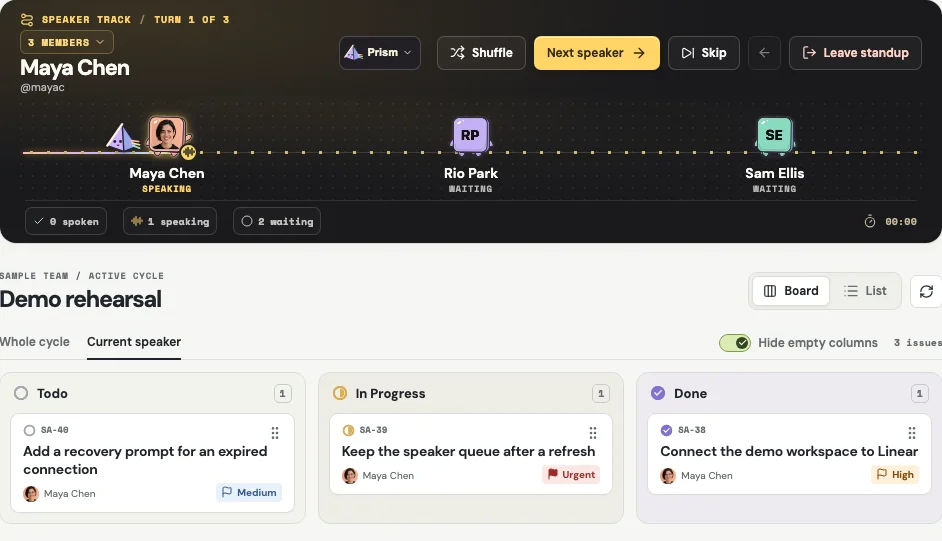
Share your screen and start the standup. Follow the lineup or use Surprise draw. The track shows who’s speaking and who’s still waiting.
Update the work
Open a card on the speaker’s board. Save an edit or move a task to another status where your tracker supports it. Then pick the next speaker.
Bring your task board
Choose your tracker in Room settings. You can also run a standup with just a list of names.
 Linear
 ClickUp
 Asana
 monday.com
 Jira
 Trello
 Notion
 Airtable
 Todoist
 Smartsheet